This week I dove into containerlab1, and a topology that looked fully connected couldn’t even pass a ping. My goal was to connect three routers so if one link went down, traffic could flow through the other one. I wired the routers:
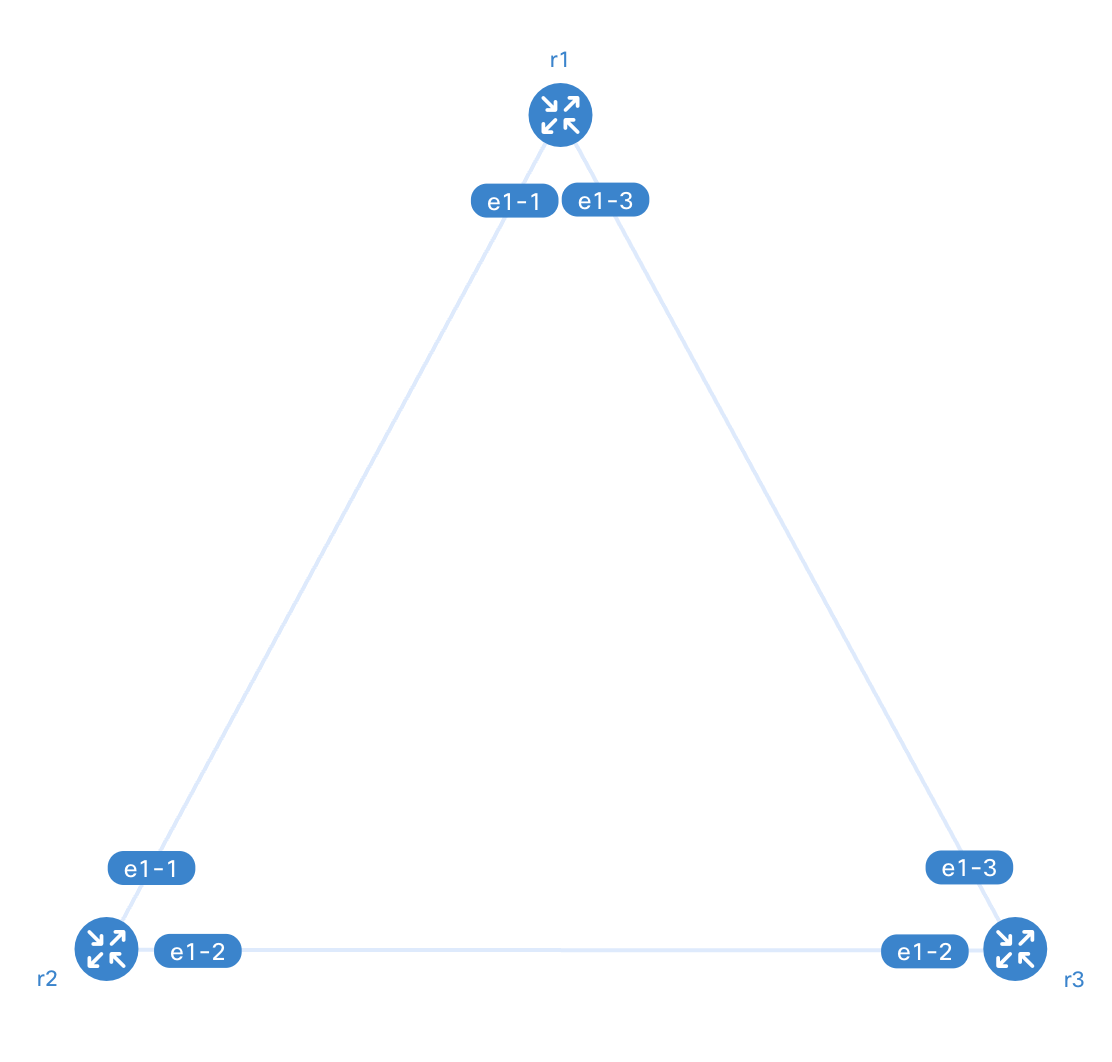
And by looking at this, Its reasonable to assume full connectivity. But the setup was far from over.
I tried to ping r2 from r1, but no dice. It turns out that these connections are like connecting a dead ethernet cable to your TV and complaining it doesn’t work. What I needed to do was turn on the cables at the L2 level — the interfaces weren’t even up. But turning on an interface doesn’t magically make ping work.
I had to create the networking layer (L3 didn’t come pre-packaged). I manually configured what was missing: the point-to-point IPs on each end of the interface2 connection (yes, each router had more than one IP — another shift in my understanding). Yet a simple ping still wasn’t working.
There was a missing element: attaching those interfaces and virtual ethernet cables to a network instance. These are virtual routing tables that allow the routing actually happen. Think of it as telling the router which routing table should handle traffic on this interface. And now with the full setup, I could finally ping each router from every neighbor — full connectivity.
That is, until I redeployed my lab — wiping all my manual configurations.
Note: use persistent startup configs.
But there was a bigger question nagging me — how might r1 reach r3 through r2? This is next weeks problem.
Footnotes
-
containerlab lets you create network topologies using containerized network operating systems (e.g. switches/routers) ↩
-
Techincally, subinterfaces: virtual slices of a port ↩